How to start playing on osudesu
Step 1 — account
Register in the osu! client after connecting — score submission needs a confirmed email. Website registration is disabled. Your profile page goes live immediately and starts collecting stats with your very first play.
Step 2 — client or browser
Two ways to play:
- osu! client — full experience, all four modes plus Relax/Autopilot. Setup is one launch flag, see the connection guide.
- Web player — osu!standard in the browser, zero install. Drop in a .osz, load your skin, play. Great for laptops, school breaks or trying the game before installing.
Step 3 — maps
Grab maps from the beatmap library — search by artist, title or mapper, check star rating and BPM before downloading. In the client, osu!direct-style downloads work out of the box on osudesu.
Step 4 — climb
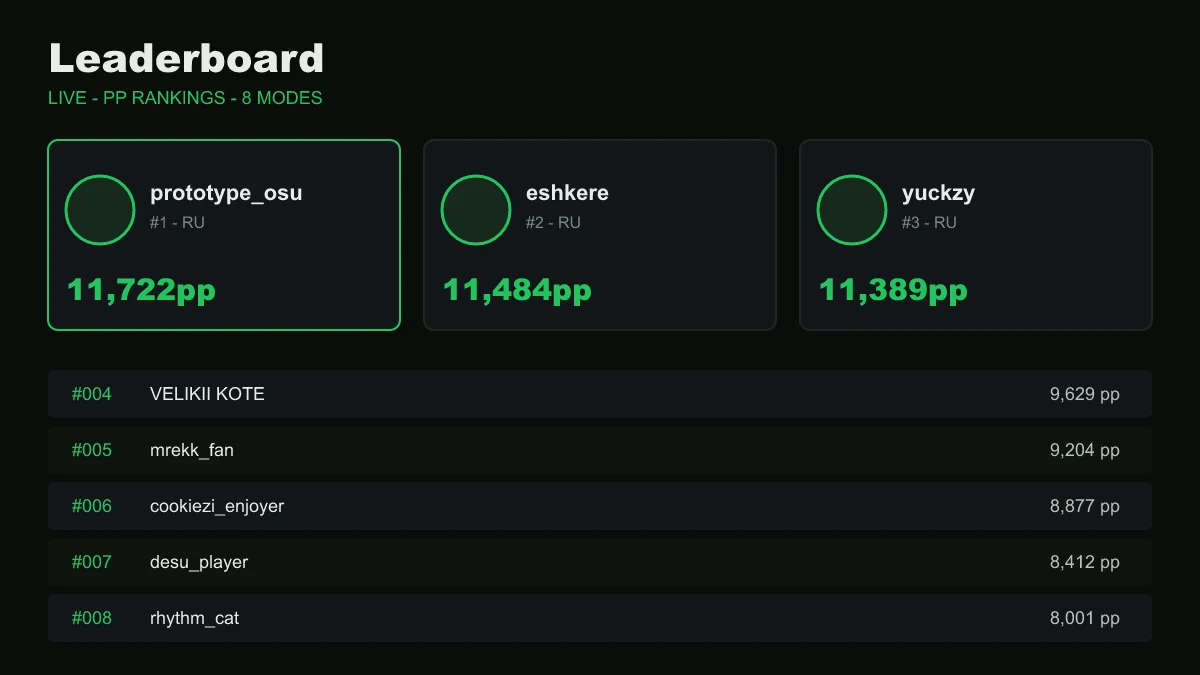
Every pass lands on the map's leaderboard and feeds your PP. Watch your global rank, join a clan for the weekly wars, and keep an eye on seasons — separate ladders with rewards. Curious how PP math works? Read the PP system explainer.
Playing with friends
Multiplayer lobbies work in the client like on any server — invite friends who are also connected to osudesu. No friends on the server yet? The leaderboard and Discord are where the community hangs out; spectating and replays make it easy to learn from stronger players.
FAQ
Is osudesu free?
Completely. No paid ranks, no pay-to-win cosmetics gating gameplay. The server is community-run.
I'm brand new to osu!. Where do I start?
Try the web player first — it runs in your browser and teaches you the rhythm basics on real maps. When it clicks, install the client and connect.
Do skins work?
In the client — yes, like anywhere. The web player accepts .osk skin files too.
How do ranks work here?
Same idea as official: performance points per play, summed with decay into your profile PP. We run our own PP ladder per mode, including separate Relax and Autopilot rankings.